Creating Professional Photo Slideshows for Events
Creating Professional Photo Slideshows for Events
Some event photos are meant to be scrolled on a phone. Others are meant to be felt—on a big screen, in a dark room, with everyone watching the same moment at once.
A professional slideshow turns your gallery from “a folder of images” into a shared experience: reception displays, office recaps, family gatherings, and conference highlight reels.
This guide covers what slideshow mode is for, when to use it, how to sequence photos well, and how to run it smoothly on event day.
Why slideshows still win in 2026
Phones are private; slideshows are social
Guests browse alone on mobile. Slideshows create:
- A shared emotional peak at weddings and parties
- A professional recap moment at corporate events
- A story arc instead of random photo order
Slideshows reduce “gallery fatigue”
Large galleries overwhelm people. A curated slideshow:
- Shows the best 30–80 photos in 5–10 minutes
- Highlights key moments in order
- Ends with energy (not endless scrolling)
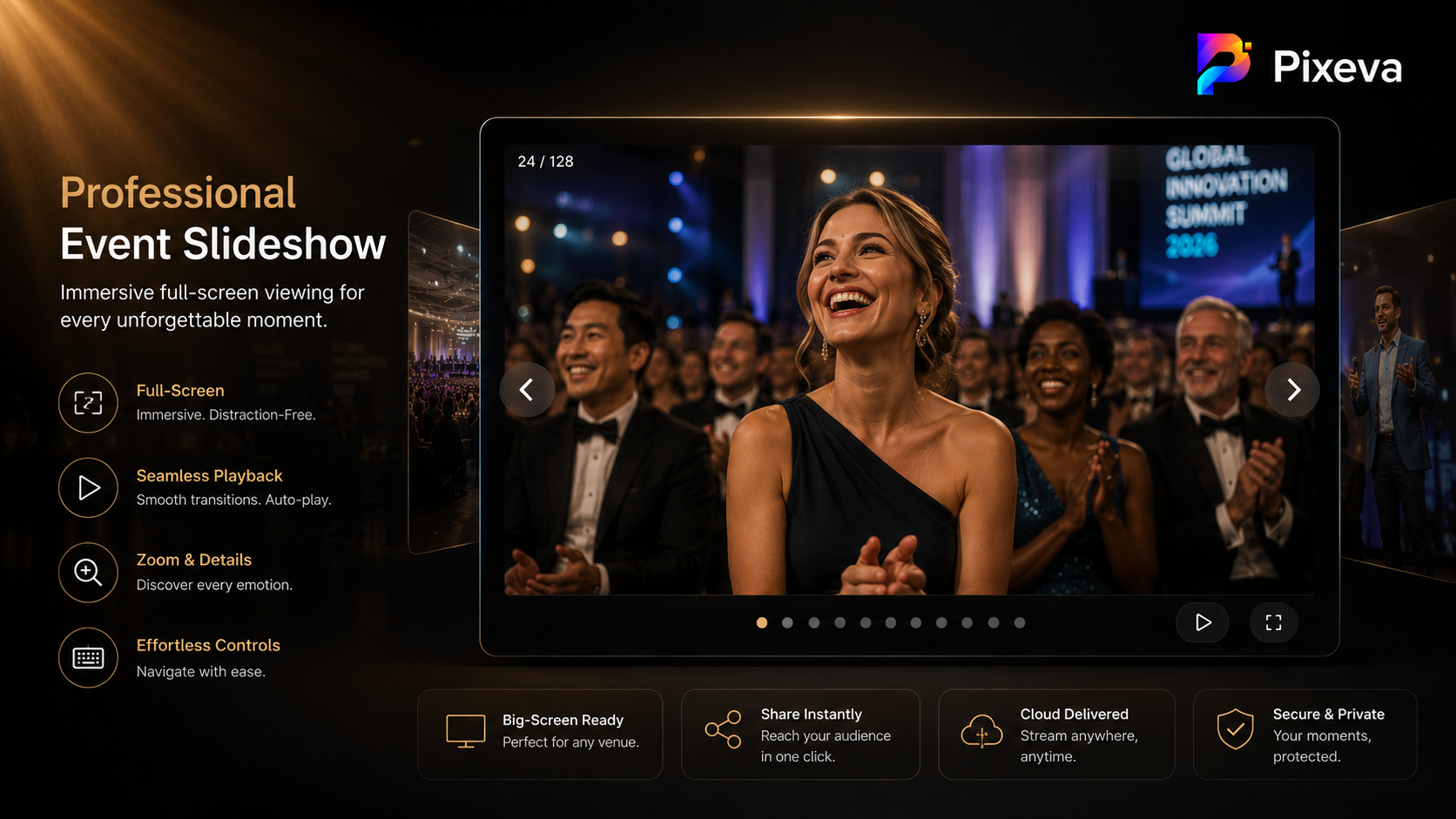
What “slideshow mode” should feel like
A good event slideshow experience is:
- Fullscreen — distraction-free
- Easy to control — next/previous, pause, exit
- Zoom-friendly — for detail on faces and signage
- Stable — no UI clutter on screen
If your platform supports keyboard navigation (arrow keys, escape), that matters for laptops connected to projectors and TVs.
Best use cases
Wedding receptions
- Play during dinner or before dancing
- Include: ceremony highlights → couple portraits → family groups → party energy
- Keep it PG for all ages unless it is an adults-only after-party cut
Corporate events & conferences
- Lobby display loop (muted)
- End-of-day recap on stage screen
- Sponsor-visible moments early if stakeholders are in the room
Birthday and family events
- “Life montage” style sequencing (childhood → recent → party)
- Shorter is better—guests want to return to socializing
Photo booth / after-party rooms
- Auto-advance loop of candid highlights
- Refresh with new uploads if photos arrive live during the event
How to build a great slideshow (step by step)
Step 1: Curate before you sequence
Do not dump 2,000 photos into a slideshow.
Start with:
- Best moments album / highlights (if your gallery has smart collections)
- Top downloaded or top viewed photos (if analytics exist)
- Photographer’s “hero set” (20–40 images)
Target length: 5–12 minutes for live events; 2–4 minutes for lobby loops.
Step 2: Tell a story (simple arc)
A reliable structure:
- Arrival / atmosphere (venue, crowd, details)
- Main event beats (ceremony, keynote, cake, toast)
- People energy (laughter, dancing, networking)
- Closing hero shots (couple, team, speaker bow)
Avoid jumping randomly between unrelated moments.
Step 3: Pace the emotional beats
- Slow down on emotional photos (2–4 seconds each)
- Move faster on energy montages (1–2 seconds each)
- Do not let one person dominate unless it is their birthday/wedding
Step 4: Test on the actual display
Before guests arrive:
- Test HDMI / AirPlay / browser fullscreen
- Check aspect ratio (cropping on TV matters)
- Confirm autoplay vs manual advance (manual is safer for live MC-led shows)
Step 5: Assign one operator
At weddings, assign:
- DJ, planner, or AV person to start/stop slideshow
- Clear cue: “We’ll play the photo montage after speeches”
Technical tips (avoid day-of disasters)
- Use a dedicated laptop with power cable plugged in
- Disable notifications and screen sleep
- Download or preload if venue Wi‑Fi is weak (when your workflow allows)
- Keep a backup USB with the same slideshow export if possible
- Use dark mode viewing for better contrast on projectors
Slideshow vs gallery: when to use which
| Goal | Best format |
|---|---|
| Guests find their photos | Gallery + search/selfie flows |
| Room shares a moment together | Slideshow |
| Marketing recap next day | Short slideshow + link to full gallery |
| Sponsor proof | Gallery analytics + pinned highlights |
Use both: slideshow for the room, gallery for personal discovery.
Common mistakes
- Too long — guests stop watching
- Wrong order — emotional beats land flat
- Duplicates — same pose three times in a row
- Unreadable text — tiny signage photos on a TV
- No sound plan — decide music rights before the event
Music and legal basics (quick note)
If you add music:
- Use licensed tracks or platform-safe audio
- Match tempo to segment (slow for vows, upbeat for dance floor)
- Mute lobby loops if venue requires silence
When in doubt, run slideshow without music—photos carry the emotion.
A simple run-of-show template
Wedding (8 minutes)
- 0:00–1:00 Venue + guests arriving
- 1:00–3:00 Ceremony highlights
- 3:00–5:00 Family + portraits
- 5:00–8:00 Reception joy + dance floor
Conference (4 minutes)
- 0:00–0:45 Venue + registration energy
- 0:45–2:30 Keynote + sessions
- 2:30–3:30 Networking + expo
- 3:30–4:00 Team / closing frame
Conclusion
Professional event slideshows are not outdated—they are the most efficient way to make hundreds of photos feel like one story.
Curate tightly, sequence with intention, test on the real screen, and pair the slideshow with a full gallery so guests can still find themselves afterward.
Create your next event gallery and run a cinematic slideshow with Pixeva: (https://pixeva.co)
Keep exploring with Pixeva
Want to put this into practice? These pages go deeper: