Everyone Takes Photos.Find Only Yours.
Vacations, weddings, parties, conferences — photos end up on a dozen phones. Create one shared space and find yours with a selfie.
Upload photos from any phone. Our AI indexes every face instantly. Anyone can take a selfie and find every photo they appear in — in under 2 seconds.
How It Works
Three simple steps — whether you're an event organizer or a group of friends.
Create a Shared Album
Set up a shared space in seconds. Get a unique code to share with your group — no app needed.
Everyone Uploads
Everyone adds photos from their own phone. All photos land in one shared gallery — no more "send me that photo."
Find Your Photos
Take a selfie and instantly find every photo you appear in. Download, share, or create a highlight reel.
Many Phones. One Gallery.
Going on a trip? At a party? Everyone takes photos on their phone. Create one shared space — everyone uploads, and each person finds just their photos with a selfie.
Share an invite link
Send a link to your group — anyone can request to contribute photos
Approve or reject with one click
You stay in full control of who can upload photos
All photos in one gallery
Everyone sees every photo from every contributor in a single searchable gallery
Contributors
Manage who can upload
Invite Link
Contributors (3)
Jane M.
48 photos uploaded
Robert P.
120 photos uploaded
Sarah K.
Waiting for approval
Perfect for Any Occasion
From friend trips to massive conferences, Pixeva scales to fit any group
Weddings
Guests find their special moments
Vacations
Everyone uploads, find only yours
Birthday Parties
Collect every moment in one place
Family Reunions
Grandparents to grandkids, all in one gallery
Friend Trips
No more "send me that photo"
Conferences
Everyone finds session photos
Corporate
GDPR-compliant photo sharing
Graduations
Celebrate every graduate
Sports
Athletes find their shots
Concerts
Find yourself in the crowd
Find Photos with Words
Just describe what you're looking for. Our AI understands natural language and finds matching photos instantly.
AI Photo Search
Advanced AI-powered search
Try searching for:
AI Analyzes Photos
Our AI generates detailed captions for every photo
You Describe
Type what you're looking for in plain English
Instant Results
AI matches your query to the most relevant photos
Turn Favorite Photos into Share-Worthy Art
After guests find their photos, they can transform one tap-worthy shot into premium Ghibli, anime, watercolor, oil painting, or cyberpunk artwork made for social sharing.
AI Magic Style Transfer
Guest-facing creative photo upgrade
Choose a style:
Designed for guests, built for viral sharing
Guests can stylize a photo they already love, download the result, and share it instantly. It turns event galleries into something people come back to even after they have already found their photos.
One tap from photo viewer to premium stylized artwork
Multiple art looks for weddings, trips, parties, and graduations
Download and share-ready results made for phones and social posts
Filter by How You Feel
Our AI analyzes facial expressions in every photo. Find your happiest moments, biggest smiles, or most candid shots with one click.
Photos with joyful expressions
Genuine smiles detected
Peaceful, relaxed moments
Top quality + smiling
Filter by Emotion
Create Stunning Highlight Reels
Turn your photos into cinematic 15-second videos. Perfect for social media sharing.
Sizzle Reel Generator
AI-powered video creation
Choose your style:
Color mood:
AI Photo Selection
Automatically picks your best shots
Ken Burns Effects
Cinematic pan and zoom animations
Easy Sharing
Download and share on social media
One Album Per Person. Automatically.
AI maps every face and groups them into people. Each person gets their own album — name them, review their best shots, and let guests find their photos with a selfie.
Auto-grouped by face
Every face is detected, clustered, and grouped into a person — zero manual work
Name, tag & review
Add names, mark VIPs, and merge or split groups right from the dashboard
Best shots surfaced
AI scores quality, expression, and sharpness to highlight each person's strongest photos
People
Jump into named guest albums and strongest shots.
Sarah Mitchell
24 photos
· reviewedJames Rivera
18 photos
· reviewedAisha Patel
31 photos
David Kim
12 photos
· reviewedBest Moments
High quality photos with great expressions
Powerful Features
Everything you need to manage and share photos effortlessly
AI Face Recognition
Industry-leading 99%+ accuracy powered by advanced machine learning. Recognizes faces even in group photos.
Smart Albums — People
AI groups every face into people automatically. One album per person — name them, review best shots, merge or split right from the dashboard.
AI Text Search
Search photos by description. Find "people dancing" or "cake cutting" using natural language powered by AI.
AI Magic Style Transfer
Turn favorite event photos into premium Ghibli, anime, watercolor, oil painting, and cyberpunk artwork ready to download and share.
Bulk Upload
Upload thousands of photos at once with drag-and-drop. Progress tracking and automatic retry for failed uploads.
Video Upload & Playback
Upload event videos alongside photos. Smart processing generates thumbnails and optimized playback.
Privacy First
Each event is completely isolated. Face data is encrypted and automatically deleted when events expire.
Easy Sharing
Share a simple invite code with your group. One-click downloads for individual photos or entire collections.
Analytics Dashboard
Track engagement, popular photos, and download stats. Understand how people interact with your photos.
Browse All Photos
Everyone can explore the full gallery. Scroll through all photos or use filters to find specific moments.
Mobile Optimized
Perfect experience on any device. Take a selfie and find your photos right from your phone.
Instant Search
Get results in under 2 seconds. Our optimized search scans thousands of indexed faces instantly.
Collaborative Mode
Invite multiple people to upload photos to the same event. One unified gallery, many contributors.
Multi-Selfie Search
Upload multiple selfies from different angles for more accurate face matching across thousands of photos.
Bulk Download
Download all your matched photos as a single ZIP file. No need to save one by one.
Attendee Registration
Collect attendee information at your event. View stats, manage attendees, and export data as CSV.
Smart Duplicate Detection
Three-layer AI automatically blocks duplicates at upload, detects visually similar photos, and lets you review and clean up with one click.
Google Drive Sync
Link a Google Drive folder and import photos directly into your event. Smart delta sync only imports new files — skip duplicates automatically.
Beautiful, Intuitive Interface
Designed for simplicity — organizers and guests will love it
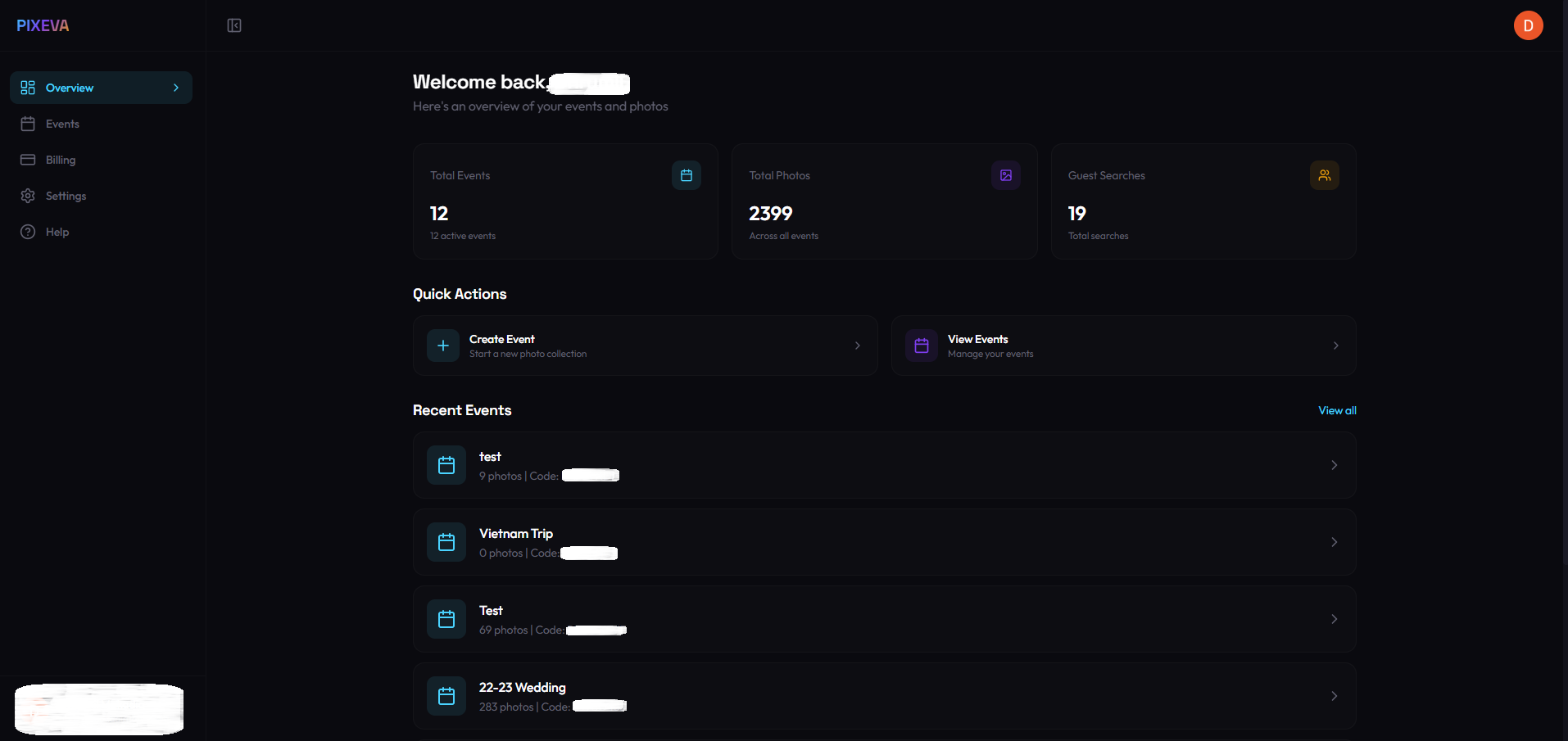
Organizer Dashboard
Overview of all your events, total photos, guest searches and quick actions
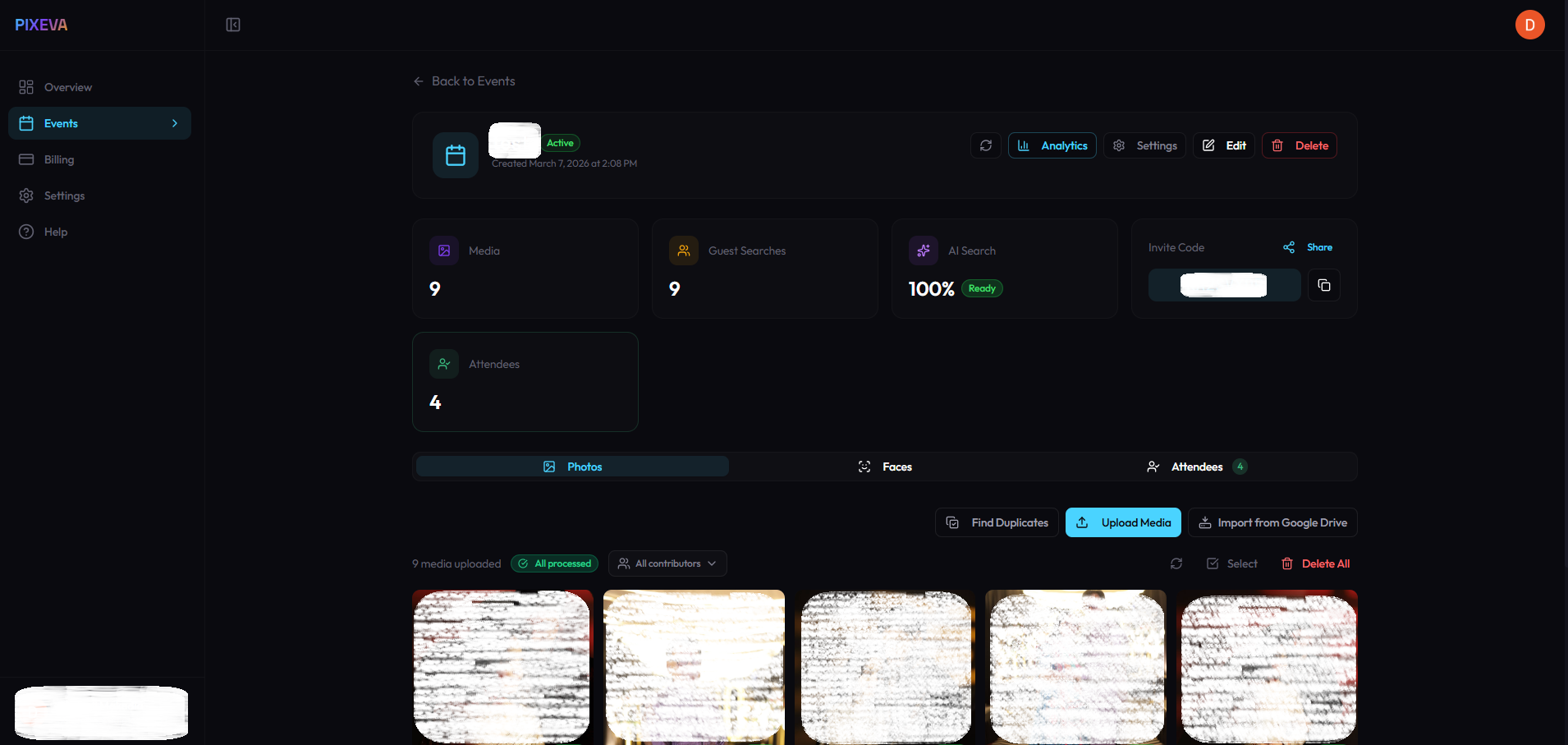
Event Management
Upload media, track guest searches, share invite codes and manage your event
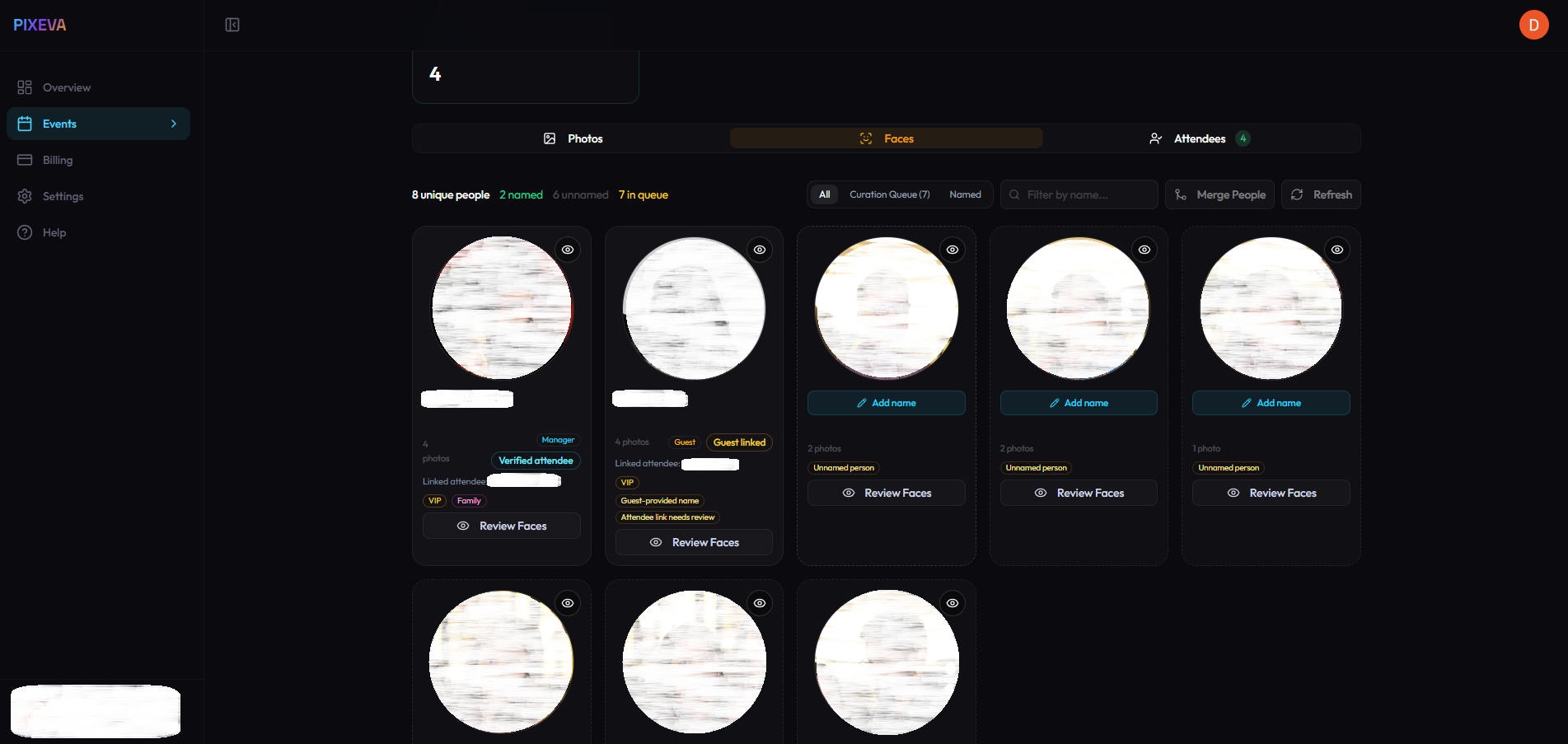
Smart Albums — People
AI groups every face by person. Name them, tag VIPs, merge or split — one album per guest
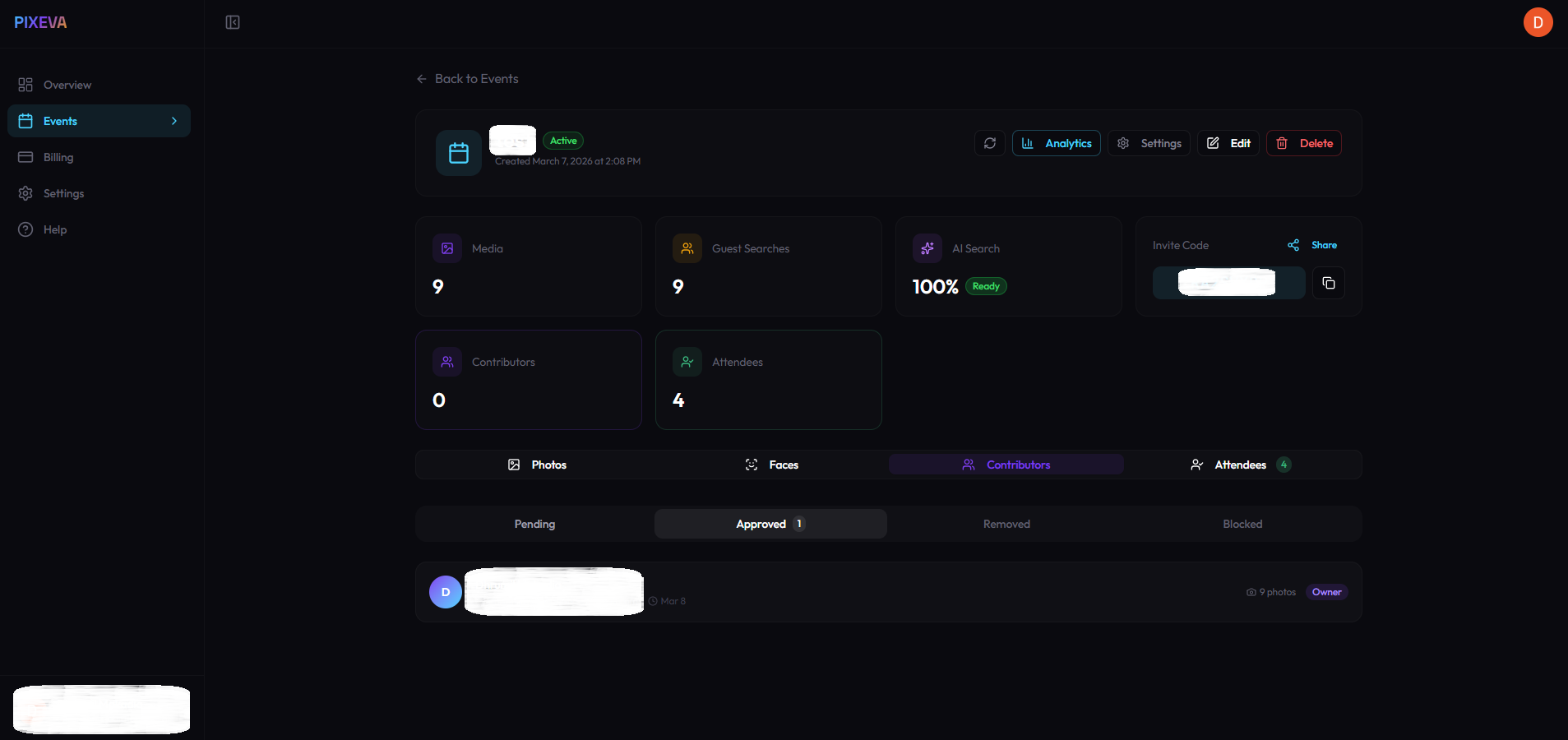
Collaborative Mode
Invite photographers and friends to upload. Approve contributors and track uploads
Simple, Transparent Pricing
Start free and scale as you grow. No hidden fees, cancel anytime.
Free
Perfect for small events & testing
- 1 event per month
- 100 photos per event
- 5 videos (max 100MB each)
- AI face recognition
- Guest selfie search
- Collaborative mode
- Priority support
Pro
For professional event coverage
- 5 events per month
- 2,000 photos per event
- 50 videos per event
- AI face recognition
- Priority processing
- Analytics dashboard
- Email support
- Collaborative mode
Event Pass
One event, unlimited everything
- 1 event per purchase
- Unlimited photos
- 100 videos per event
- AI face recognition
- Priority processing
- Analytics dashboard
- Valid for 90 days
Business
For agencies & large-scale events
- Unlimited events
- 10,000 photos per event
- 200 videos (max 500MB each)
- White-label branding
- API access
- Advanced analytics
- Priority support
- Collaborative mode
Compare All Features
See what's included in each plan
Swipe to compare all plans →
| Feature | Free | Pro | Event Pass | Business |
|---|---|---|---|---|
| Events per month | 1 | 5 | 1/purchase | Unlimited |
| Photos per event | 100 | 2,000 | Unlimited | 10,000 |
| Videos per event | 5 | 50 | 100 | 200 |
| Max video size | 100 MB | 500 MB | 500 MB | 500 MB |
| AI Face Recognition | ||||
| Guest Selfie Search | ||||
| Sizzle Reel Generator | ||||
| Emotion Filters | ||||
| Collaborative Mode | ||||
| Google Drive Sync | ||||
| Priority Processing | ||||
| Analytics Dashboard | Advanced | |||
| White-label Branding | ||||
| API Access | ||||
| Support | Community | Priority | ||
| Event Retention | 30 days | 90 days | 90 days | 1 year |
Your data is safe with us
Your Data, Your Control
Privacy is built into every layer of Pixeva. We give you and everyone in your group full control over personal data, with GDPR compliance built in from day one.
Face data is encrypted and isolated per event. Guest selfies are automatically deleted after search. You can export or delete all your data at any time.
Selfies Auto-Deleted After Search
Guest selfie images are processed in memory and automatically deleted after face matching completes.
Full GDPR Data Export
Export all your personal data at any time. Your data belongs to you.
Delete Your Account & All Data
One-click account deletion removes all your events, photos, and personal data permanently.
Biometric Consent Collection
Guests explicitly consent before any face data is processed. Full consent history is tracked and auditable.
Event Data Isolation
Each event is completely isolated with its own encrypted storage. No cross-event data access.
Frequently Asked Questions
Everything you need to know about Pixeva
How does the face recognition work?
Is my data secure?
Can guests download their photos?
What happens when my event expires?
Can I upgrade or downgrade my plan?
What is the AI Magic feature?
What is the Sizzle Reel feature?
How does the emotion filter work?
What are Smart Albums?
What is Collaborative Mode?
Can I collect attendee information?
How does Google Drive Sync work?
Can I upload videos to my event?
Ready to Try It?
Start free. Create your first album in 2 minutes. No credit card required.